

Yes, you can deposit physical cash into an online bank account. U.S. customers do it through retail cash-deposit networks, deposit-enabled ATMs, money orders, reloadable prepaid cards, or by dropping cash at a local account and transferring it over. Each route trades speed against cost, so knowing the tradeoffs before you leave the house saves you a wasted trip.
A few things anchor every method below. The Bank Secrecy Act and IRS require cash transactions of $10,000 or more to be reported, and breaking a large deposit into smaller ones to dodge that threshold (“structuring”) is illegal on its own, regardless of intent. Fintech and prepaid-card partners can be checked through NMLS Consumer Access if you want to confirm a company is actually licensed before handing over cash. And when you’re comparing which online bank fits your habits, a side-by-side tool like Rate Grove makes the fee and limit differences easier to spot than digging through a dozen fine-print pages.
- Retail partner networks (Green Dot, PayNearMe, Walmart): usually same-day or instant, fees typically $3 to $5.75.
- In-network ATMs: often instant to same-day, free if in-network.
- Money order + mobile deposit: 1 to 3 business days, purchase fee around $1 to $5.
- Reloadable prepaid card: instant load, but transfer to your bank can take 1 to 3 days.
- Local deposit + ACH transfer: 1 to 3 business days, often free.
Pro Tip: If you’re not sure which method your bank supports, check the app first. Most online banks bury their cash-deposit instructions under “Add Cash” or “Deposit Options” rather than in the main menu.
Key Takeaways
Depositing cash into an online bank works reliably through retail partner networks, in-network ATMs, or a local deposit followed by an ACH transfer, with cost and speed varying by method.
| Point | Details |
|---|---|
| Retail barcodes expire fast | Regenerate the code in your app if the cashier can’t scan it in time. |
| Local deposit plus ACH is cheapest | This route usually carries no fee, just a 1 to 3 day wait for the transfer. |
| Know your limits before you go | Capital One caps Add Cash at $999 per transaction and $5,000 monthly for eligible accounts. |
| Large cash deposits get reported | The Bank Secrecy Act requires reporting for cash transactions of $10,000 or more. |
| Compare before you commit | Rate Grove lines up fees, limits, and ATM reimbursement policies across banks in one place. |
Table of Contents
- What to Check Before You Try to Deposit Cash Online
- How Do You Deposit Cash at a Retail Partner Store?
- Can You Deposit Cash at an ATM for an Online Bank?
- Should You Buy a Money Order to Deposit Cash?
- How Do Reloadable Prepaid Cards Turn Cash Into a Bank Deposit?
- What’s the Cheapest Way to Get Cash Into an Online Bank?
- What Fees, Limits, and Holds Should You Expect?
- Which Online Banks Actually Accept Cash Deposits?
- How Should You Pick a Bank Based on Cash Deposit Needs?
- Compare Cash-Friendly Accounts Before You Commit
- Frequently Asked Questions
- Sources
What to Check Before You Try to Deposit Cash Online
Nothing wastes an afternoon faster than driving to a store, standing in line, and finding out your bank doesn’t work with that retailer. A few minutes of prep prevents that.
Open your bank’s mobile app and look for a location finder, usually labeled “Add Cash,” “Cash Deposit,” or “Find an ATM.” This tool tells you which stores or machines near you actually connect to your account, since not every Walgreens or 7-Eleven participates in every network.
Before you go, gather:
- A government-issued photo ID (some retailers ask for it even if the app doesn’t require one)
- Your debit card or the account barcode generated in the app
- Cash organized in bills the machine or cashier can count easily (avoid worn or torn bills)
- A way to photograph your receipt immediately
Check your deposit limits ahead of time too. Retail partners often cap transactions between $500 and $999, and your bank may set its own daily or monthly ceiling on top of that. Confirm the expected posting time, since some deposits show up within minutes and others take until the next business day.
Pro Tip: Photograph the barcode screen and the cashier’s receipt before you leave the store. If the deposit doesn’t post within the timeframe your bank quotes, that photo is your proof the transaction happened.
How Do You Deposit Cash at a Retail Partner Store?
Retail cash networks exist because online banks don’t have branches. Companies like Green Dot and PayNearMe act as the middleman, letting a bank without a single teller window still take your $200 in cash through a partnership with stores you already visit.
- Open your bank’s app and search for nearby participating retailers (Walmart, CVS, Walgreens, Kroger, or 7-Eleven, depending on your bank’s network).
- Generate a deposit barcode inside the app, or note your account number if the retailer’s system uses that instead.
- Tell the cashier you want to add cash to a bank account and show the barcode.
- Hand over your cash. The cashier scans the code, counts the bills, and processes the transaction at the register.
- Take the printed receipt and confirm the deposit shows up in your app, usually within minutes to a few hours.
Those barcodes are time-sensitive. Capital One’s Add Cash system, for example, expires the code after a short window for security reasons, so if the cashier can’t scan it fast enough, you’ll need to regenerate a fresh one before trying again.
Fees and limits vary by network, but Capital One’s version allows up to $999 per transaction, $1,500 per day and $5,000 per month for eligible accounts. Other retailers charge a flat fee per deposit, often in the $3 to $5.75 range, on top of whatever your bank charges (if anything).
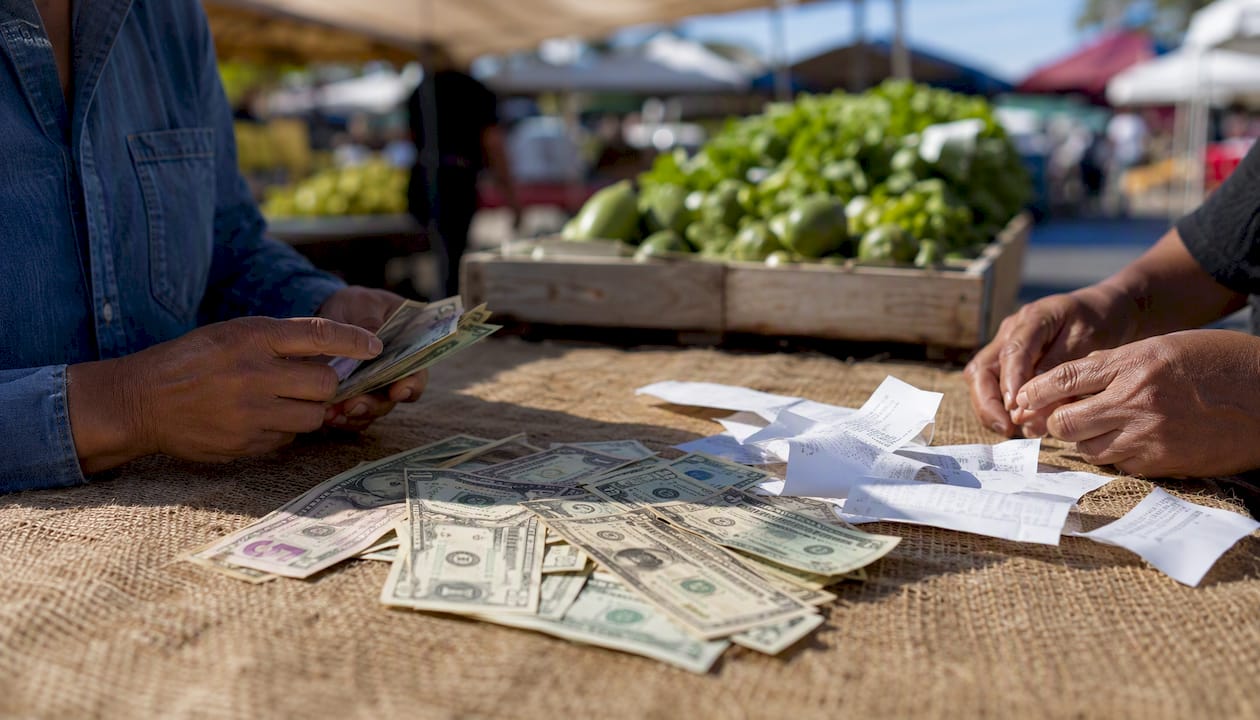
Pro Tip: Ask the cashier for a transaction reference number in addition to the receipt. If your bank’s support team needs to track down a missing deposit, that number moves the conversation along much faster than a photo alone.
Can You Deposit Cash at an ATM for an Online Bank?
Not every ATM takes cash, and not every cash-accepting ATM is in your bank’s network. Check your app’s ATM locator first. It should filter for machines that specifically accept deposits, since plenty of ATMs only dispense cash and never take it in.
- Locate an in-network, deposit-enabled ATM through your bank’s app or website.
- Insert your debit card and select “deposit.”
- Feed in bills directly (most modern ATMs count them on the spot) or use an envelope if the machine requires one.
- Confirm the itemized total on screen before finalizing.
- Take the printed receipt as your record.
Using an ATM outside your bank’s network usually means paying two fees: one from the ATM owner and one from your own bank. Some online banks reimburse a portion of out-of-network ATM fees, but that policy lives in your account disclosures, not in the app’s front screen, so it’s worth a quick search there.
Timing depends heavily on the machine and the network behind it. Many in-network ATM cash deposits post immediately or by the next business day, while some networks apply a short hold on larger amounts before the funds become available for withdrawal.
Should You Buy a Money Order to Deposit Cash?
A money order turns your cash into a paper instrument your bank can accept through mobile check deposit, which sidesteps the whole retail-barcode process entirely.
- Buy a money order with cash at USPS, Walmart, or most grocery and check-cashing outlets.
- Fill in the payee line carefully, usually with your own name if you’re depositing it into your own account.
- Keep the purchase receipt in case the money order is lost or needs tracing.
- Endorse the back exactly as your bank requires, which sometimes means writing “for mobile deposit only” alongside your signature.
- Deposit it through your bank’s mobile check-deposit feature or, if allowed, at an ATM that accepts check deposits.
The math favors convenience over pure savings. A money order typically costs $1 to $5 depending on where you buy it, while a cashier’s check runs higher but carries a reputation for being harder to forge, which some landlords or larger transactions require.
- Timing ranges from same day to several business days, based on your bank’s check-hold policy.
- Double-check the payee name matches exactly what your bank expects.
- Some banks want a specific memo line or your account number written on the money order itself.
- Photograph the front and back before mailing or depositing, just in case it goes missing.
How Do Reloadable Prepaid Cards Turn Cash Into a Bank Deposit?
Prepaid cards like Green Dot or Walmart MoneyCard let you load cash at a register, then move that balance electronically into your online account, essentially using the card as a bridge.
- Buy or reload the prepaid card with cash at a participating store.
- Register the card online if you haven’t already, since unregistered cards often can’t send transfers.
- Link the card to your online bank account, or route the funds through a payment app like PayPal or Venmo first if the card doesn’t support direct ACH transfers.
- Initiate the transfer and wait for it to clear.
Fees stack up in a way retail barcode deposits usually don’t. You might pay a card purchase fee, a reload fee at the register, and then a transfer fee to move the money out, on top of a possible monthly maintenance fee on the card itself. It’s often faster than mailing a money order, but rarely the cheapest option on this list.
- Reload caps typically run a few hundred dollars per transaction.
- Daily and monthly limits apply on top of that.
- Registration is mandatory for most transfer features, so don’t skip it.
What’s the Cheapest Way to Get Cash Into an Online Bank?
If you have a local bank or credit union account, even one you barely use, depositing cash there and transferring it via ACH or Zelle is usually the least expensive route available. The same logic applies to giving cash to a trusted friend or family member who has a brick-and-mortar account, though that route depends entirely on trust and follow-through.
- Verify the account number and routing details before sending any transfer.
- Ask for a receipt or screenshot confirming the transfer went through.
- For a new arrangement, send a small test transfer first before moving larger amounts.
- Large or repeated cash handoffs between people can raise the same reporting questions as direct bank deposits, so keep records.
Pro Tip: If you deposit cash more than once a month, consider keeping a low-fee local account purely for cash conversion, then transfer everything to your online bank on a schedule. It keeps your records clean and your online account doing what it does best: earning a better rate.
What Fees, Limits, and Holds Should You Expect?
Costs and caps differ by method, and reading the fine print before you commit saves you from an unpleasant surprise at the register.
- Retailer deposit fees: commonly $3 to $5.75 per transaction at partner stores.
- Prepaid card fees: purchase, reload, and monthly maintenance fees can add up quickly.
- Out-of-network ATM fees: charged by both the ATM owner and your own bank.
- Money order fees: usually $1 to $5 depending on the seller.
- Wire fees: relevant mainly for larger, one-time bulk transfers.
Deposit limits typically run from a few hundred dollars per transaction up to a few thousand per month, depending on the network and your bank’s own policy. Capital One, for instance, caps Add Cash transactions at $999 per transaction and $5,000 monthly for eligible accounts.
Hold times vary just as much. Retail barcode deposits and in-network ATM transactions often post the same day, ACH transfers usually take 1 to 3 business days, and some third-party or out-of-network deposits can take up to a week to fully clear.
Statistic Callout: Under the Bank Secrecy Act, financial institutions must report cash transactions of $10,000 or more, and deliberately splitting deposits to avoid that threshold is a federal offense known as structuring.
Pro Tip: Retail deposits can appear in your balance quickly but still carry a partial hold on availability. Check your bank’s hold policy before you count on spending that money the same day.
Which Online Banks Actually Accept Cash Deposits?
Coverage differs bank by bank, so matching your habits to the right network matters more than picking the biggest name.
- Capital One supports Add Cash in Store at retailers like Walgreens, CVS, Kroger family stores, and 7-Eleven, with limits up to $999 per transaction and $1,500 daily. Full deposit options, including mobile and ATM deposits, are documented on its Help Center page.
- Axos Bank works with Green Dot locations and select ATM networks for cash loading, according to Bankrate’s rundown of cash-friendly online banks.
- Alliant Credit Union offers access through a broad in-network ATM footprint, including Walmart-adjacent machines in many markets.
- Chime routes cash deposits through retail partners including Walgreens, letting members add cash without a branch visit.
- Current partners with Green Dot’s retail network for cash loading, similar to several other challenger banks.
These notes reflect how each bank generally operates, but policies shift. Confirm current limits, fees, and participating locations directly in your bank’s app or help center before making a trip.
Pro Tip: If a bank’s app doesn’t clearly list its cash-deposit partners, that’s often a sign the feature is limited or being phased out. Call support and ask directly rather than guessing.
How Should You Pick a Bank Based on Cash Deposit Needs?
Match the account to how often you actually handle cash, not to whichever bank has the flashiest interest rate.
- Retail and ATM coverage: does the bank’s network include stores or machines near where you actually live and work?
- Fees per deposit: add up what a monthly cash habit would cost across a year, not just per transaction.
- Limits: check daily and monthly caps against how much cash you typically need to deposit.
- Speed: same-day posting matters more if you’re paying rent or bills right after depositing.
- ATM fee reimbursement: some banks refund out-of-network charges; check the account disclosures directly, not just marketing pages.
If you deposit cash often, prioritize a bank with wide retail coverage or a strong in-network ATM presence. If it’s a rare event, a local account paired with an ACH transfer is usually simpler and cheaper. Reading the fee disclosures carefully before you commit to any account beats calling support after a surprise charge.
How Reliable Are These Sources?
The guidance above draws on bank support pages, including Capital One’s own Help Center and Add Cash documentation, along with independent coverage from Bankrate, MoneyLion, and FinanceBuzz.
- Bank help centers give the most current limits and workflows, since they update faster than third-party guides.
- Industry explainers help compare options across multiple banks at once.
- You can verify a payment processor’s legitimacy through NMLS Consumer Access before trusting it with cash.
- When in doubt, call your bank’s support line and ask them to confirm the policy in writing or in the app.
A Practical Starting Point for Cash-Heavy Banking
If your online bank supports an in-app retail barcode option, start there. It’s usually the fastest path from cash in hand to cash in your account. If it doesn’t, or the nearest participating store is inconvenient, a local account plus an ACH transfer remains the cheapest fallback for most people.
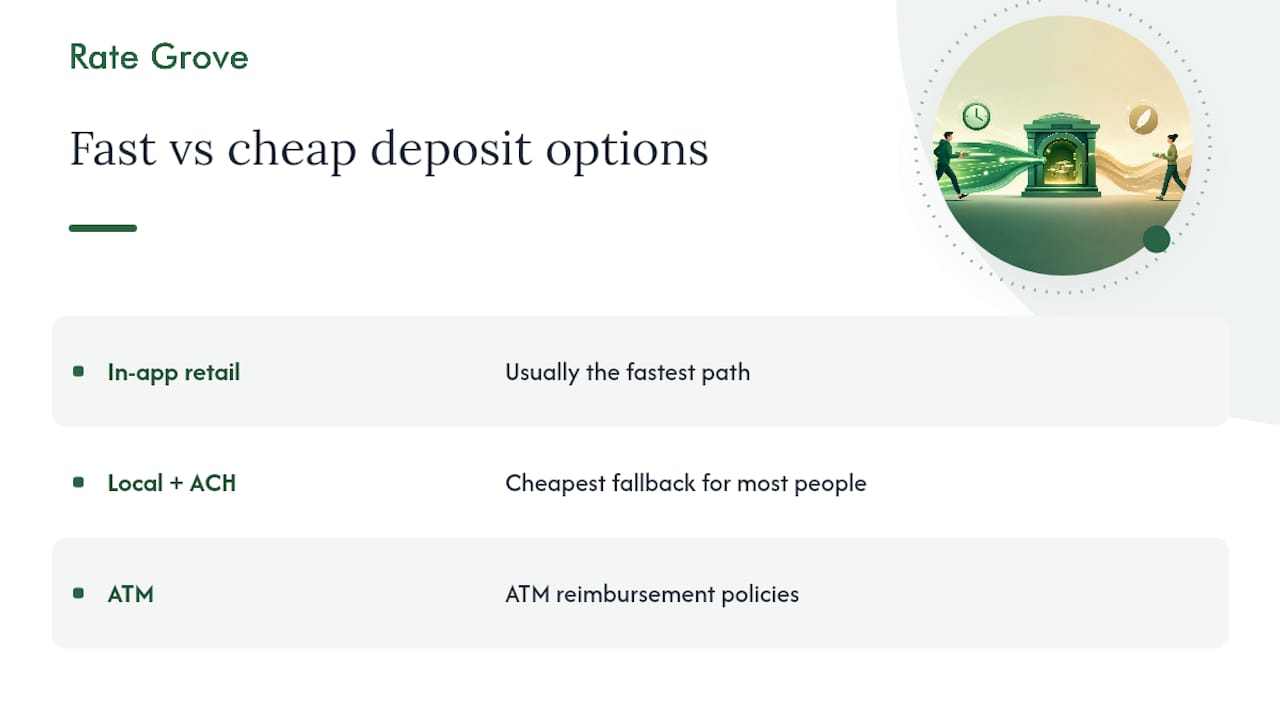
Think about frequency before you choose. Someone depositing cash weekly should lean toward a bank with wide retail coverage; someone doing it twice a year is probably better served by keeping a low-fee local account around for exactly that purpose. Rate Grove’s comparison tools make it easier to line up fee structures and ATM reimbursement policies side by side, rather than piecing that information together from five different bank websites.
Compare Cash-Friendly Accounts Before You Commit
Rate Grove is the tool that saves you from digging through bank disclosures one tab at a time. Instead of comparing Capital One’s Add Cash limits against Axos’s ATM network by opening ten browser tabs, you get the fee structures, deposit caps, and ATM reimbursement policies lined up side by side, based on verified data pulled from issuer sites.
That matters most when you’re weighing a bank you’ve never used against one you already know. A retail-heavy cash habit might do better with a bank that has broad partner coverage, while an occasional depositor might save more with an account that reimburses out-of-network ATM fees instead. Rate Grove’s bank account comparison checklist walks through exactly which features to weigh before switching. If you’re ready to see how your current bank stacks up on cash deposit terms, compare accounts on Rate Grove and find one that actually fits how you handle cash.
Frequently Asked Questions
Can you deposit cash online without visiting a store or ATM? Not directly. Physical cash always has to touch a real-world location first, whether that’s a retail partner, an ATM, or a local bank branch, before it becomes a digital balance.
How much does it typically cost to deposit cash into an online bank? Retail partner deposits often run $3 to $5.75 per transaction, while local deposit plus ACH transfer is usually free. Money orders and prepaid cards fall somewhere in between depending on where you buy them.
Is depositing cash into an online bank account safe? Yes, as long as you use verified partner networks and keep your receipt. Confirm any prepaid card or payment processor’s legitimacy through NMLS Consumer Access if you’re unsure about a lesser-known provider.
What happens if my deposit doesn’t show up in my account? Contact your bank’s support line with your receipt, transaction reference number, and the date and location of the deposit. Most delays get resolved within a few business days once support has that information.
Do all online banks accept cash deposits? No. Coverage depends on which retail networks or ATM partnerships a bank maintains, so always check your specific bank’s app or help center rather than assuming a feature applies universally.
This article is general information, not a substitute for advice from a qualified financial advisor. Consult a qualified financial professional about your own circumstances before acting on anything here.